
Let the bake do the talking.
Show the crust, crumb and toppings you worked for. Start with your own photo, choose a light and surface, then carry the direction across your daily selection.
Preview a matching look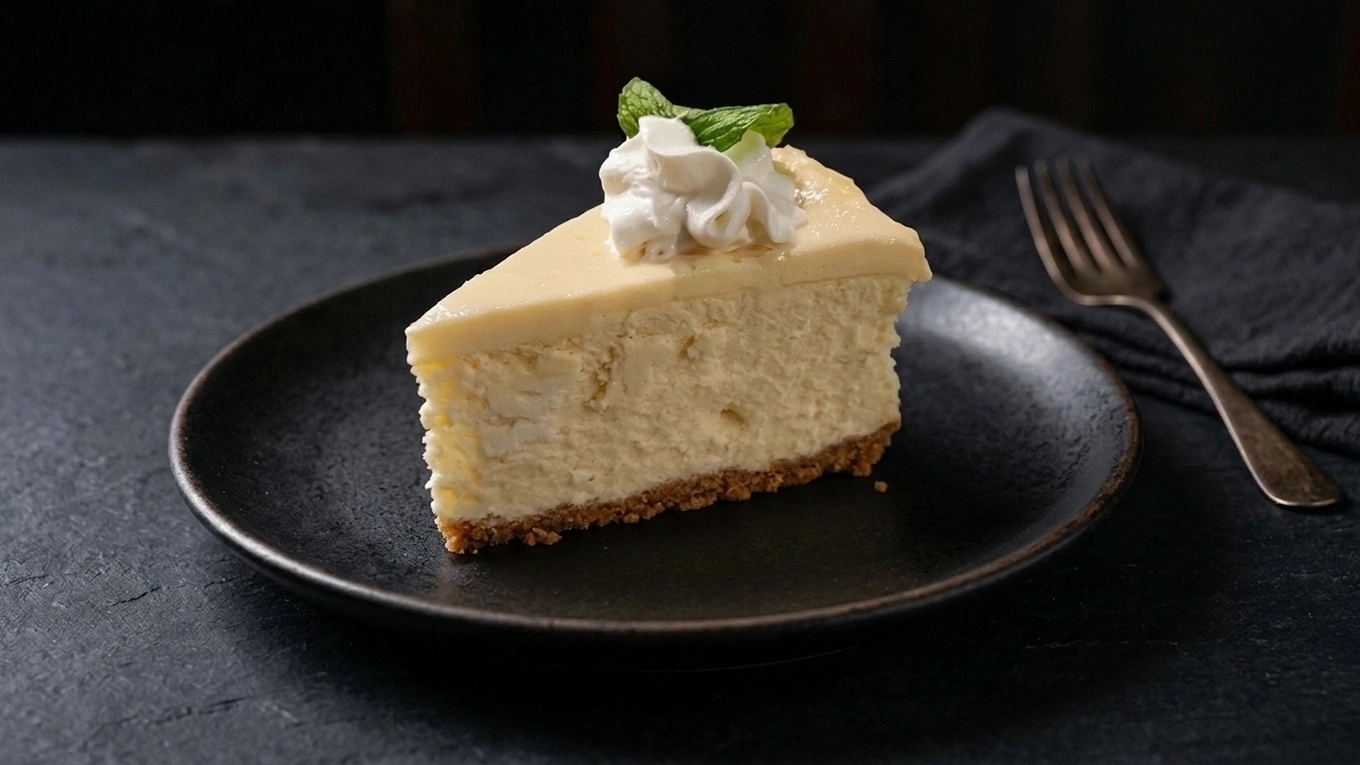
A simple recipe for your next photo.
- 01
Use the bake you sell
Photograph a complete serving or a clearly visible slice. Avoid packaging that hides the food.
- 02
Find your bakery’s signature look
Try natural linen, white marble or warm wood. Save your choices for the next batch of products.
- 03
Check toppings and texture
Compare the result with your original. Turn the approved photo into a special announcement with your own editable wording.
A photo recipe to try
Bring your photo to the studio and tell the Wizard what you have in mind. Try this as a starting point:
Soft window light on a quiet bakery table. Keep the original bake, toppings, slice size and visible texture. Preserve imperfections; no added cream, fruit, glaze or steam.
- Daily bakery selections
- Dessert-menu refreshes
- Seasonal specials
Try it with your own food photo.
Create a free account, verify your email and get 10 credits to explore the studio. Upload one dish, choose a look and compare the result.
Can I improve the way my food is plated?
Yes. Turn on Replate in the studio to rearrange your existing food for professional presentation. The Wizard is instructed to keep your ingredients, garnishes, portions and doneness. Leave Replate off to preserve the original arrangement while styling the photo. Always review the result against your original.
What do the free credits include?
Try food photos or Social Studio with the same credits. Each new image uses 1 credit, including another version. Creating a food photo and then a social post uses 2 credits in total. Text suggestions and downloads are free.
Can I turn my food photo into a social post?
Yes! In Social Studio, choose a food photo, add your logo and colors if you like, then pick a design or let the Wizard choose. Write your headline or ask for ideas, then create a social image for 1 credit. Upload a photo you already have, or send over a result from the photo studio. Explore Social Studio FAQs.
Will my photos have a watermark?
Yes. Free-trial images include the Plating Wizard logo. A paid plan or credit-pack purchase lets you generate new images without it. Previously generated trial images keep their watermark.
What happens when I use the credits?
You choose whether to buy more. The trial does not start a paid subscription. Compare subscriptions and one-time credit packs.
Will the Wizard keep my food exactly the same?
The studio can guide the Wizard to preserve your dish, but it can still change details. Check ingredients, portions and plating against your original before publishing.
Find your place at the table.
Whatever’s on your menu, there’s a place for it here.
Clear serving sizes, simple backgrounds and delivery-menu framing.
Cocktails & drinksGlassware, garnishes and atmospheric light for your drinks menu.
Bakery & dessert photosNatural textures, warm daylight and a consistent counter display.
Cafés & bakeriesCoffee, pastries and seasonal specials with a look that feels like your shop.
RestaurantsMenu dishes and weekly specials, styled around your restaurant's character.
Food marketersReusable looks and organized photos for restaurant and café campaigns.